





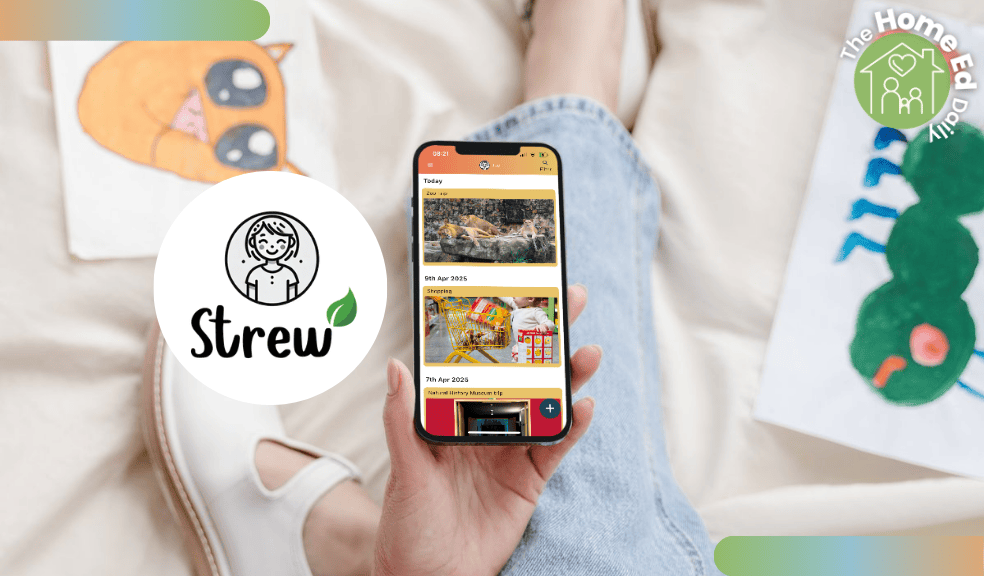
Strew review: The UK home education tracker app
Strew review 2026. A flexible home education tracker app for logging activities and tracking educational progress.
If you are searching for a Strew app review, you are likely looking for a simple way to track your home educationg without turning it into school at home.
💚 Gifted review: The Strew app was gifted to The Home Ed Daily for consideration. No payment was received for this review and, as always, all opinions are my own.
I have always believed that if I log our home education, it should be for us first. Not for a local authority. Not to perform. Not to prove. For our family. So when I tried Strew, that was my starting point. Does this support my approach? Does it reflect real life? Does it calm my mind rather than add another layer of pressure? In many ways, it does.
Record keeping for your family first
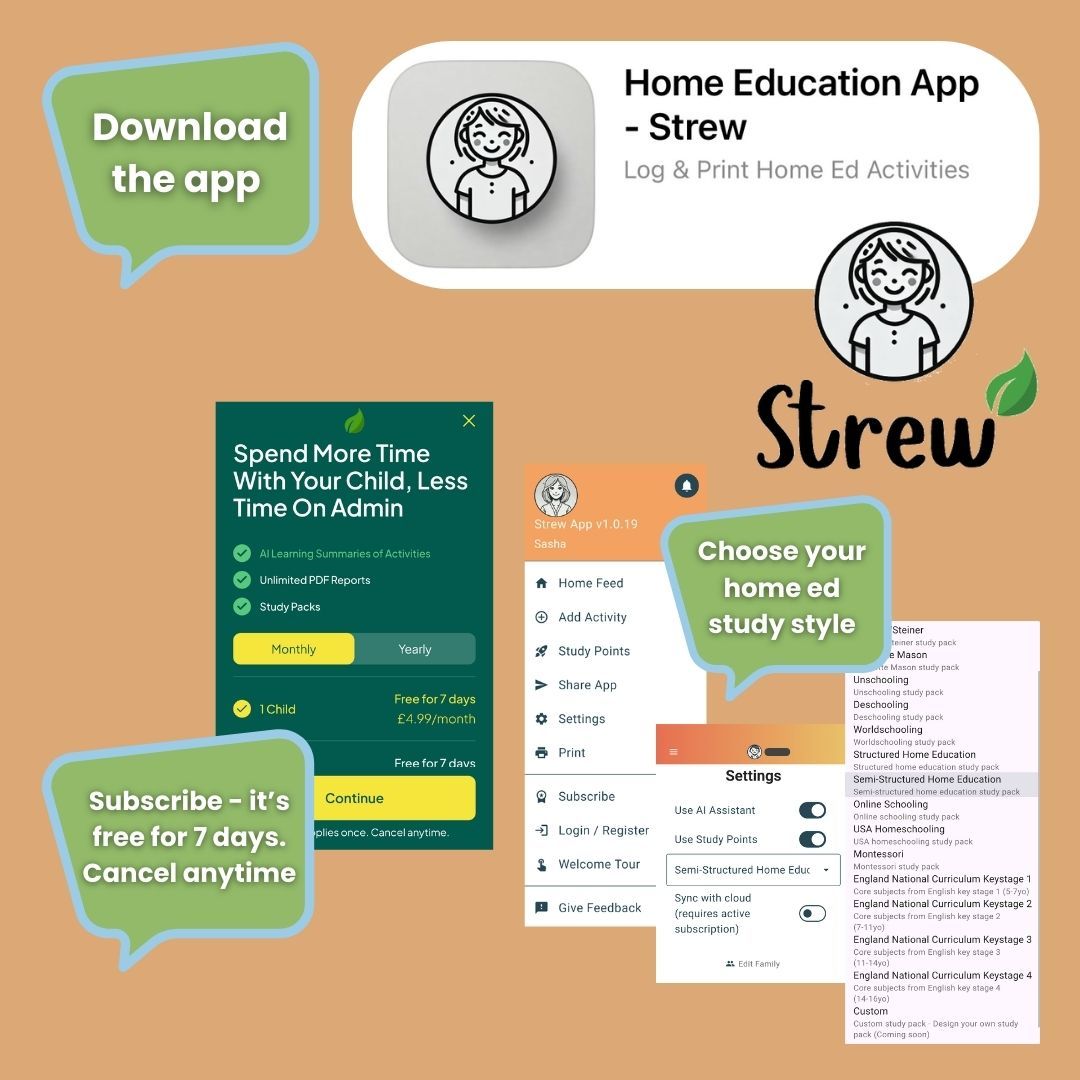
Strew is built around your home ed philosophy. You record what matters to you. Activities, projects, interests, routines, conversations, outings. It bends around your family, not the other way round. That feels important right now.
The Children’s Wellbeing and Schools Bill includes a section called Children Not In School. Its stated aim is safeguarding and tracking. It is too soon to know exactly what local authorities may request from us in the future. What we do know is that clear notes on learning, interests and progress could make potential future conversations simpler.
For me, Strew feels like a steady, parent led way to do that. I am not writing reports for someone else. I am simply recording our life. If that later supports an LA discussion or visit, it is there. But it begins with us.
Built for all home ed philosophies
One thing I appreciated is that Strew recognises different home education styles and approaches. It already includes study packs for:
- Child Led Learning
- Waldorf
- Steiner
- Charlotte Mason
- Unschooling
- Deschooling
- Worldschooling
- Structured
- Semi structured
- Online Schooling
- USA Homeschooling
- Montessori
You choose your study pack in settings and can change it at any time. That flexibility matters. It means the app does not assume a school model. It can support a structured timetable or a deeply interest led approach just as comfortably. You can log a museum visit, a baking afternoon, a documentary, a woodland walk, a coding session, a long discussion about politics. It all counts.
Seeing the learning you did not realise was there
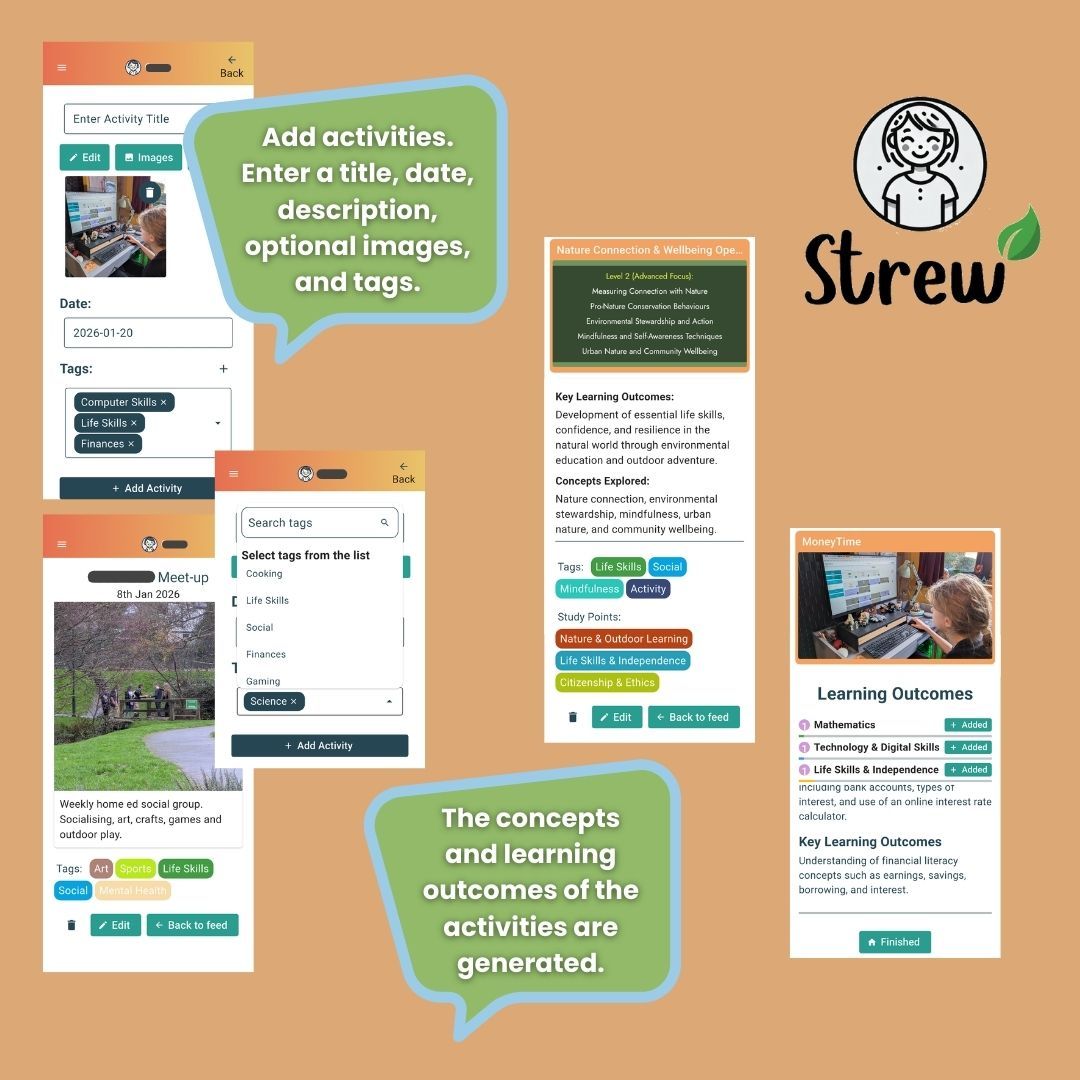
The paid version includes an AI learning outcomes engine. I approached this cautiously. I did not want generic statements that felt detached from our reality. What surprised me was how affirming it felt.
There are weeks when I think we have not done very much. We have pottered. Read. Talked. Followed side paths. Nothing dramatic. Then I generate the learning outcomes and see our week translated into skills and development. Communication. Critical thinking. Numeracy woven into daily life. Research. Creativity. It makes the invisible visible.
It reminded me how much we actually do. It reassured me on the days when I quietly worry we are not doing enough. That emotional reassurance is not a small thing.
Study points as a progress tool
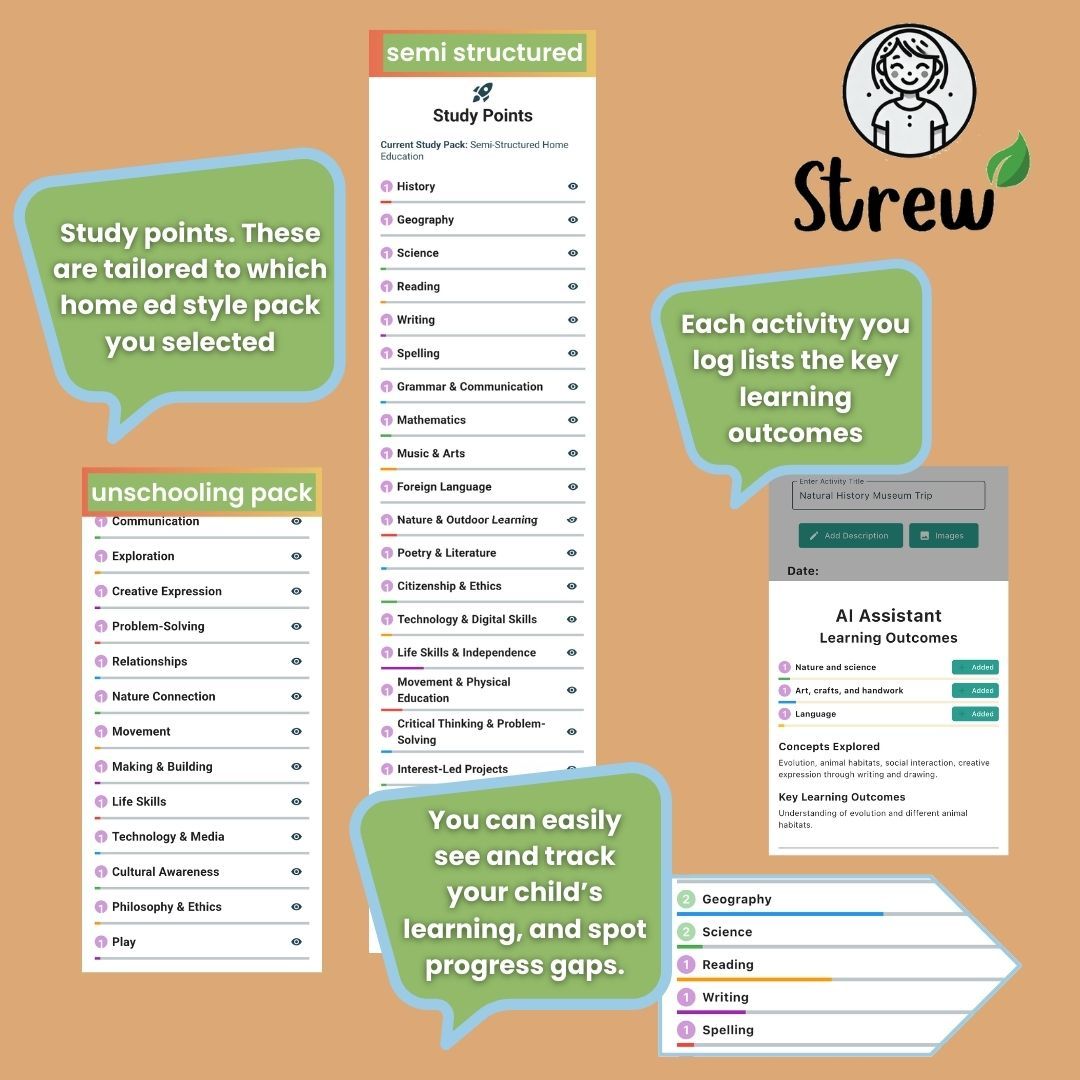
The Study Points system is a way for parents to track learning. Points are earned by completing activities within your chosen study pack. I found it very useful as a visual representation of our educational progress (I'm a visual learner). It helps highlight strengths and, if needed, potential gaps. For example, you might notice a strong run of literacy based activity but fewer science entries. That awareness can guide your next few weeks or planning if you want it to. It feels informative rather than pressurising.
Practical features
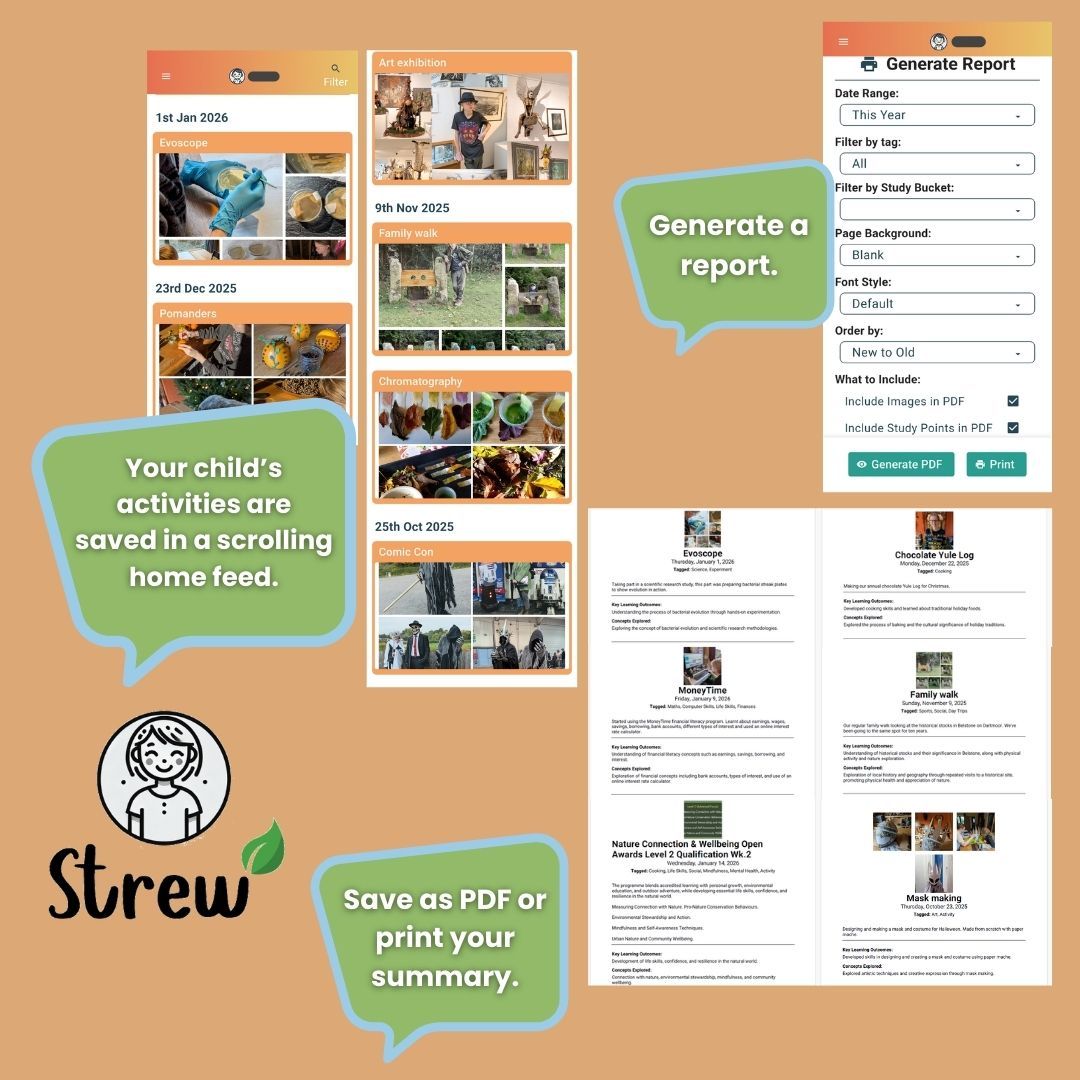
You can add images to activities, which I love. A photo of a painting. A snapshot from a woodland day. A picture of a model built on the kitchen table. It turns the log into something richer and more personal. There is also a new barcode scanning feature. You can quickly scan a children’s book to log reading progress. For families who read widely, this is a simple but clever addition that saves time.
The overall design is pared back and highly functional. It is clean and calm. Not cluttered. Not noisy. If an app feels complicated, I stop using it. Strew is simple enough that I can log something in a minute or two. And when you scroll back through months of entries, it becomes a lovely record. A quiet archive of your child’s growth.
Secure and private
Your data is stored securely on your device and is not shared. In the current climate, that matters. Your child’s information stays with you.
A couple of tweaks I would welcome
We have weekly rhythms. Forest school. Sword fighting. Science. Social meet-up. At the moment I need to re enter the same activity each week. The ability to duplicate or automatically repeat activities would make it even smoother. It is not a major flaw. But it would save time for busy families.
Report generation and PDFs
In the paid version, you can generate a report and either save it as a PDF or print it directly from the app. The report collates your logged activities within your chosen date range. It includes the activity descriptions, any images you have added, the dates, and the educational outcomes generated from your entries. It pulls everything together into one clear document.
For parents who prefer something tangible, that is helpful. It gives you a structured summary without having to retype weeks or months of notes. That said, it is important to be mindful. AI generated assessments are not a ‘good to go’ report for a Local Authority. They should support your own understanding of progress and help you shape your own summary. They are a starting point, not a finished statement. Your voice, your knowledge of your child, and your professional judgement as a parent remain central. The report tool saves time. It does not replace you.
Subscription and cancellation
If you try the paid version, you can cancel before you are charged. If you cancel, your information remains in the app and you can continue logging activities. You simply lose access to report generation and the AI learning outcomes. That feels reasonable. You are not locked in. And you do not lose your record.
Practical details
- Strew is free to download and use.
- Cost: £4.99 per month (or £49.99 for a year). The paid plan has access to the additional features.
- All paid plans include a 7 day free trial, and you can cancel anytime.
- Format: Android and iOS app download.
Final thoughts
Not every family wants to track home education. Some prefer a lighter touch. But if you do want to keep notes, Strew makes it straightforward, flexible and quietly reassuring. For me, the most powerful part was seeing our ordinary days reflected back as meaningful learning. It helped me trust our process more deeply. And that confidence, as a home educating parent, is invaluable.
Find out more about the Strew app
A side note on AI, the environment and low tech values
Some parents feel uneasy about using AI because of its environmental impact. That concern is valid. Large scale AI systems can use significant energy, especially when they rely on constant cloud processing and data storage.
Strew takes a lighter approach. Your data is stored on your own device, not in large external databases. The AI tools are optional and used only to summarise learning you have already recorded. They do not run constantly in the background.
Many low tech and unschooling families are cautious about AI. Strew does not require daily tracking or automated analysis. You can use it when it serves you, or ignore the AI features entirely.
When used, the AI simply reflects back what you have logged. It does not direct learning or interpret your child. It exists to save parental time, not shape a child’s experience.
For families already using smartphones and apps, replacing scattered notes with one focused tool may even reduce digital clutter.
As with all technology, the question is how it is used. Here, the learning remains human.